
Mesh House Ledger: Stopping a Building From Heating and Cooling Empty Rooms
How I used HVAC automation to turn a coworking space’s thermostats from a nightly leak into a governed system, cutting after-hours run time by about 84 percent.
At a glance
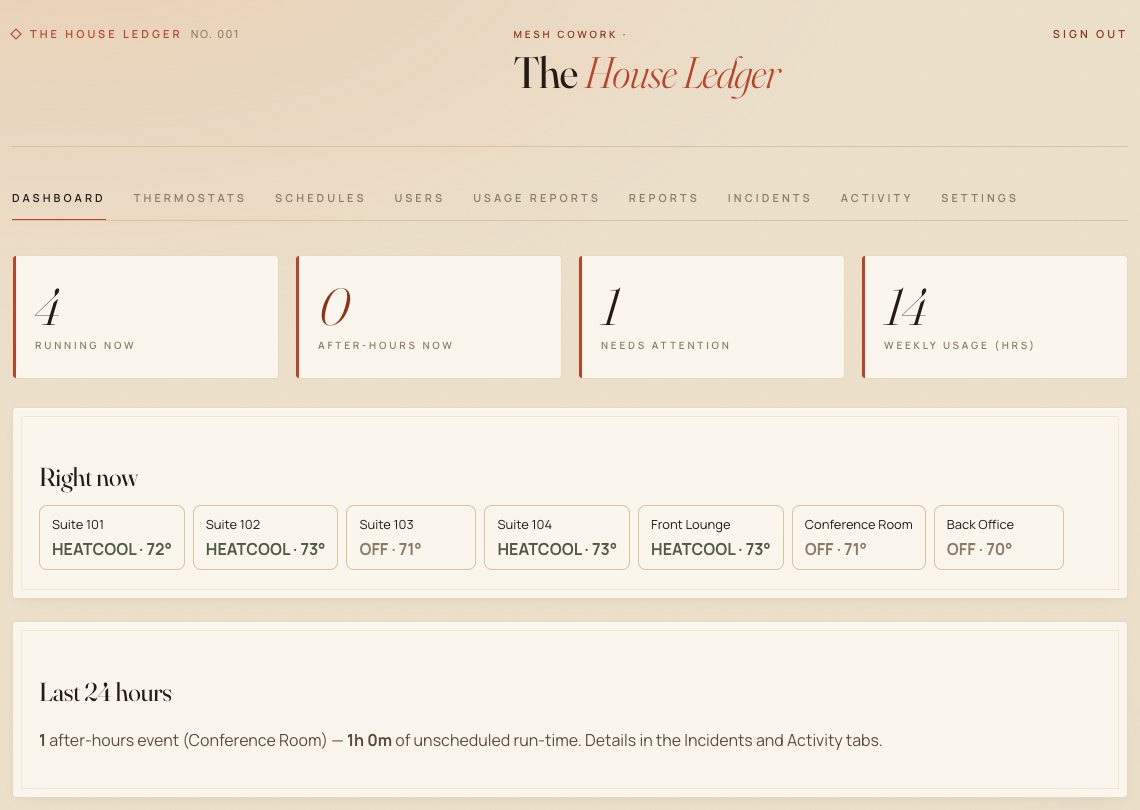
Mesh Cowork is a coworking space in downtown Bakersfield with seven separately controlled heating and cooling (HVAC) units. It is my own business, so every wasted hour of air conditioning came out of my pocket.
- Business
- Coworking and office space
- Problem
- Units left running overnight and on weekends, with no record of who turned them on
- Build
- Audit trail, timed overrides, automatic after-hours shutoff, phone alerts, daily backups
- Headline result
- About 84% fewer after-hours “on” hours per night
- Timeline
- About one week from request to live
The situation
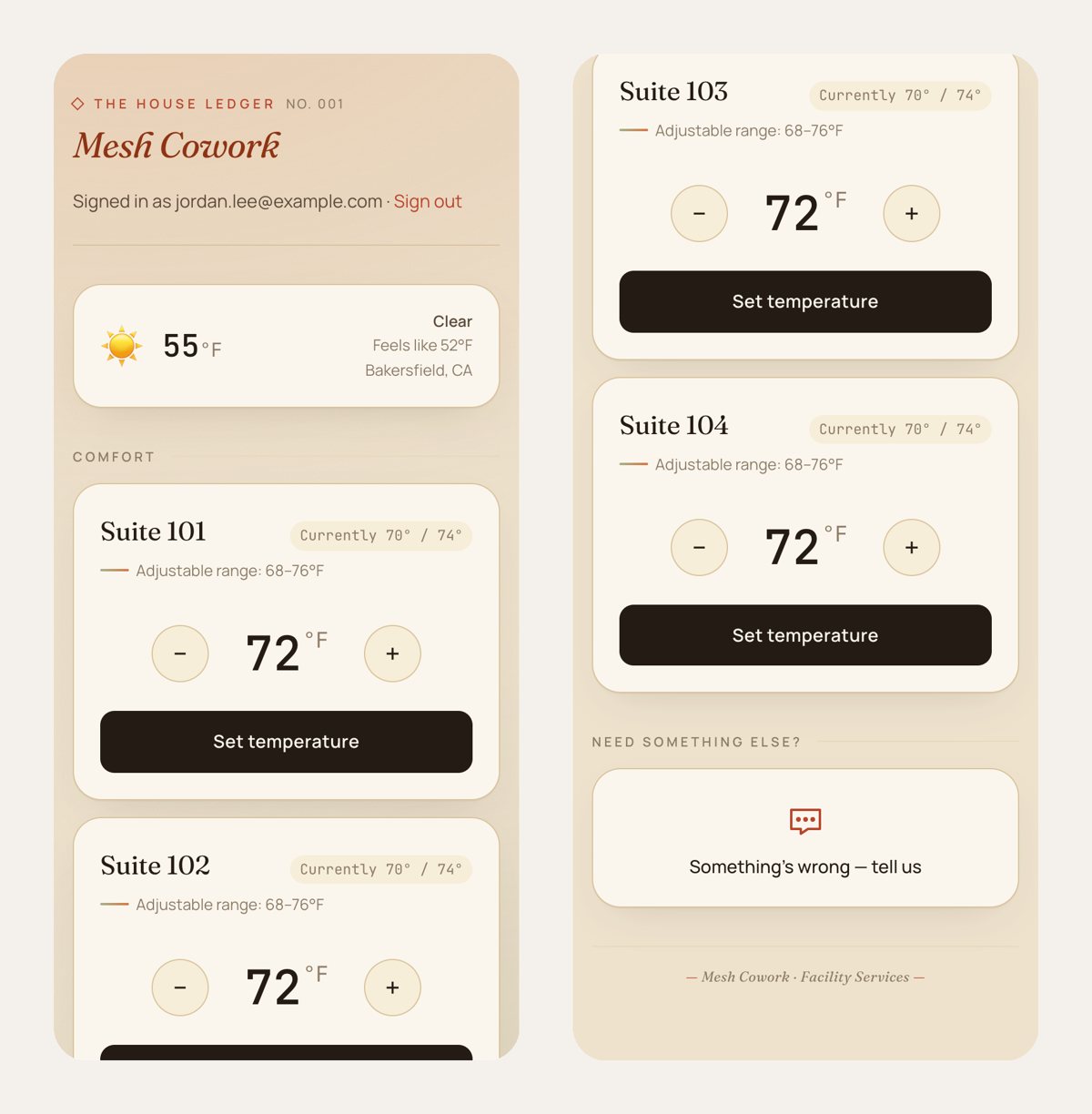
The space already had smart thermostats and a simple app I had built, called House Ledger, that let members ask for a temperature change. On paper, the units turned off every weekday evening. In practice they didn’t stay off.
Someone would turn a unit back on in the evening and it would run until morning. Over the two weeks before the rebuild, the seven units ran a combined 30.7 hours after hours every night, on average. Some ran straight through the weekend, about 46 hours at a stretch.
Nobody knew who had changed what. A unit could be switched on from the app, from a phone, or from the wall, and none of it was recorded. The system could see a unit running after hours, but the alerts went nowhere, so problems sat open for anywhere from 4 to 46 hours before someone noticed. And staff didn’t use the app at all. They pressed the thermostat on the wall, like anyone would.
The HVAC automation I built
I rebuilt House Ledger around one idea: every change gets recorded, every exception has a time limit, and the system corrects itself.
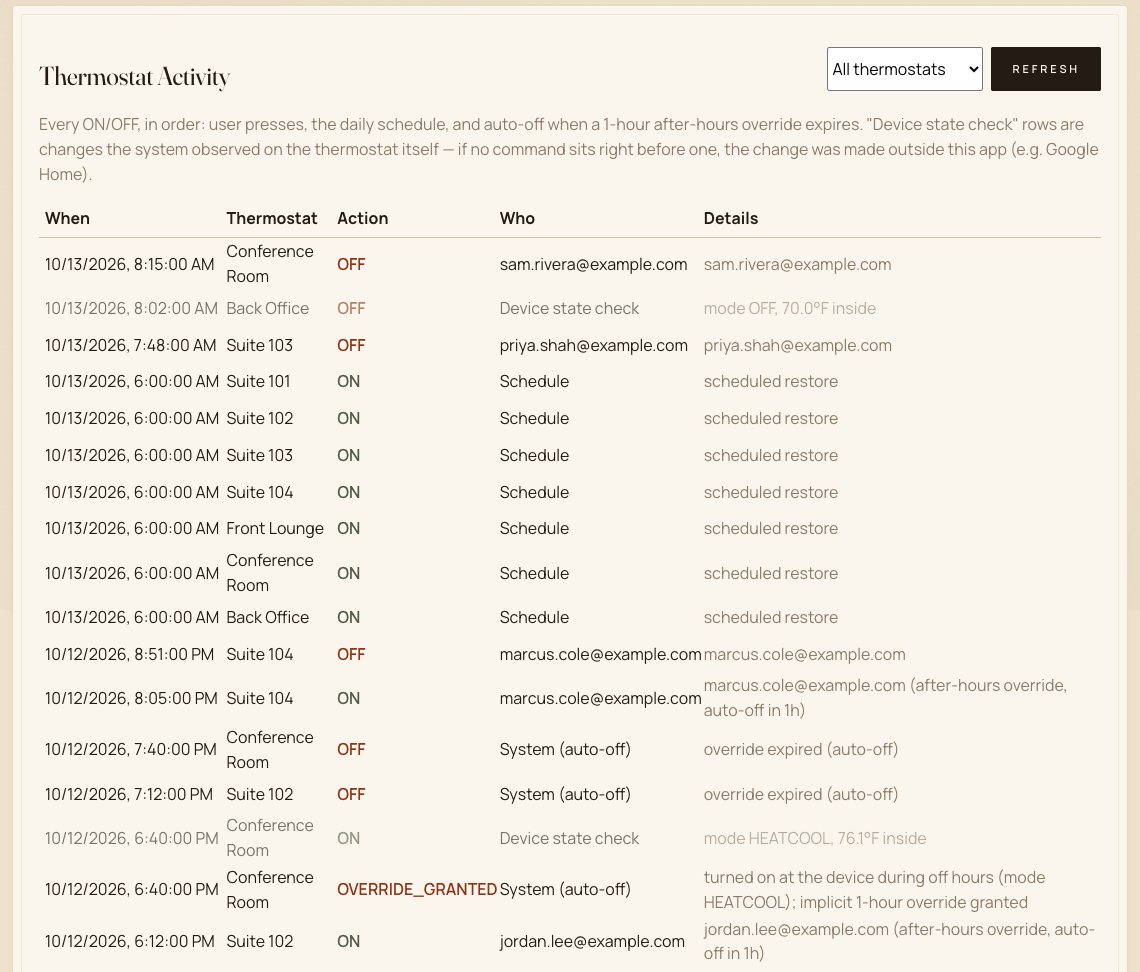
The first piece was the record. Every on and off is logged with its source, whether that’s a person in the app, the schedule, or the system itself. A check every five minutes also catches changes made outside the app, like a wall press or a smart-home app.
After hours, anyone working late can still turn a unit on. The override expires on its own and the unit shuts off, so a forgotten unit can’t run all night. Anything running after hours without an active override gets turned off and logged, and problems come straight to my phone instead of waiting for someone to find them. The record is backed up daily to a second machine, so it survives anything that happens to the server.
My first version got the wall wrong. The system turned off units that staff had switched on at the thermostat within minutes, and they told me “the override only lasts a minute.” So I changed the rule. A wall press now counts as an override too: recorded, time-limited, and announced on my phone.
The usage data also showed me what to cut. Nearly every request was a temperature change, and features like supply requests and timesheets had never been used once. I took the admin screens from 13 down to 9 and replaced the guest form with a single “Something’s wrong” button.
What HVAC automation changed
These numbers come from the system’s own records, comparing the two weeks before launch with the 13 weeks after.
| Metric | Before | After |
|---|---|---|
| After-hours “on” hours per night, all 7 units | 30.7 | 4.9 |
| Longest single after-hours run | about 46 hours | 5.1 hours |
| Time to resolve an after-hours problem | 4 to 46 hours | 5 minutes in most cases |
| Changes recorded with who made them | none | 1,536 |
| After-hours overrides that expired on their own | not applicable | 207 of 207 |
| Guest requests handled within a minute | not tracked | 466 of 471 |
Over the 13 weeks, that works out to well over 1,600 fewer hours of units sitting switched on in an empty building. That figure counts hours a unit was on, which isn’t the same as exact energy used, but it points clearly in one direction.
The automatic shutoff is now a backstop. It fired 47 times in the first week. Once wall presses counted as timed overrides, it hasn’t needed to fire since.
If something in your building runs unattended
Start by recording what happens before you try to automate anything. Until House Ledger logged every change, “the AC was on again” was a complaint. Afterward it was a specific unit, a time and a cause. When people need exceptions, like working late, give them one that ends on its own. And build around what your staff already do. Mine press the wall, so the system had to treat a wall press as a legitimate request with limits around it.
Is your building or equipment running when no one is there?
I build monitoring and automation for small businesses and facilities. These systems record what happens, fix the predictable problems on their own, and tell you about the rest. If something in your operation runs, leaks, or breaks without anyone noticing, let’s talk.